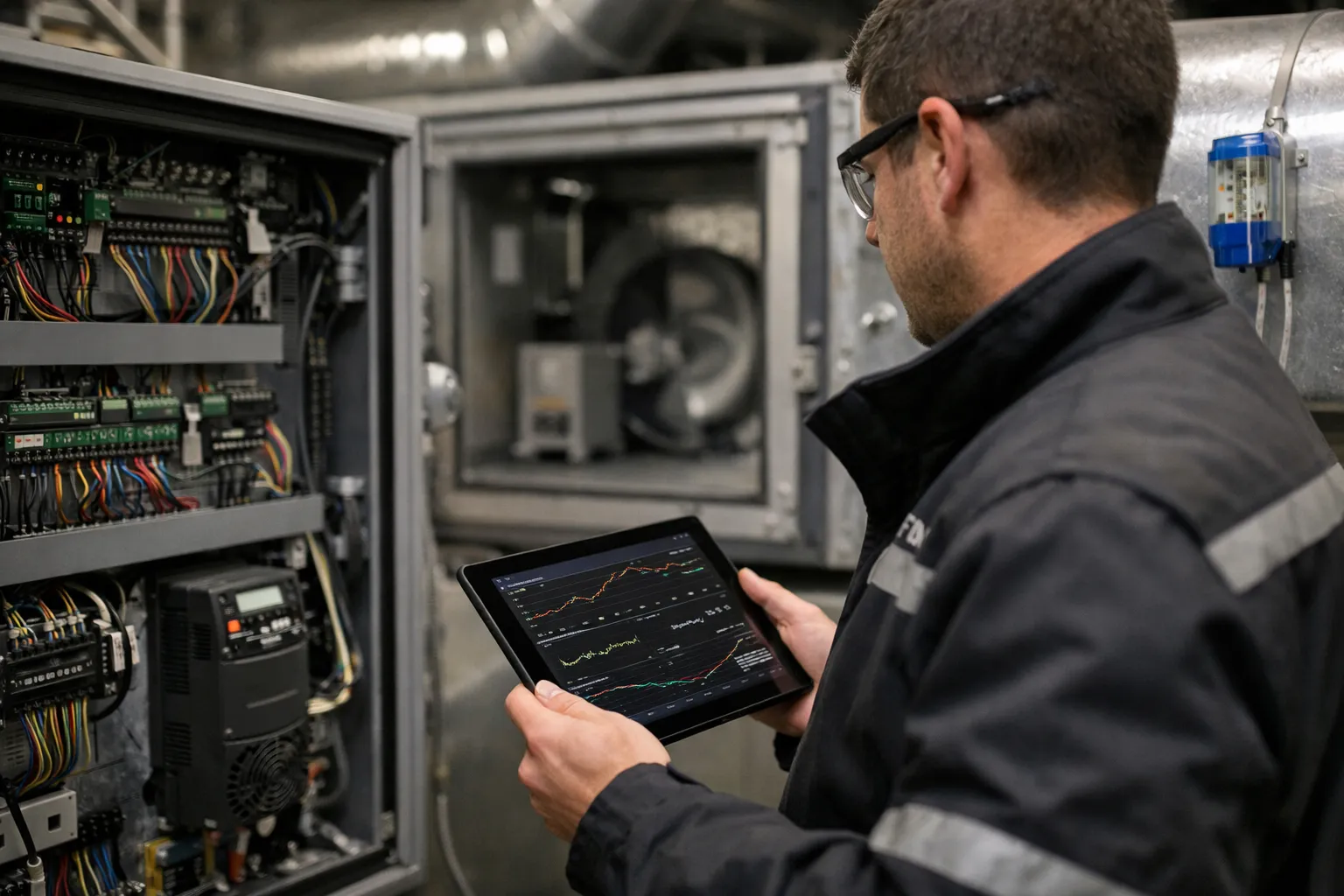
Precise commissioning and tuning of PID control loops on air‑handling units (AHUs) remain central to occupant comfort, equipment life and energy performance. This refreshed Oct 2026 guide keeps the original step‑by‑step workflow—prechecks, data collection, tuning (autotune and manual), validation and documentation—but adds recent industry changes, field-tested best practices and operational examples that matter right now: secure BAS connectivity (BACnet/SC, OPC UA), edge autotune advances, time‑synchronised data collection, and analytics‑triggered retunes.
Who this is for and why it matters
This article targets HVAC system enthusiasts and field technicians who perform hands‑on AHU commissioning and troubleshooting. If you install, verify, or maintain AHU PID loops—supply‑air temperature (SAT), duct static pressure (DSP), economizer actuators or recirculation dampers—this update gives actionable procedures you can apply in October 2026 to reduce oscillations, improve comfort and create reliable baselines for more advanced control strategies.
Prerequisites and context
Before tuning, confirm you have:
- Access to the BAS with appropriate security credentials and read/write permissions (note: many sites now use BACnet/SC or OPC UA; ensure network access and VPN policies are coordinated with IT).
- Time‑synchronised trend data—NTP or, for high‑precision dynamics, PTP (IEEE 1588) is increasingly common on newer BAS and edge gateways. Time alignment avoids misleading phase/lag errors when correlating multichannel data.
- Tools: calibrated temperature probes (NIST‑traceable recommended), differential manometer, clamp meter, laptop/tablet with CSV export, portable power meter (optional), trend historian or high‑resolution datalogger (1 s to 10 s sample interval; 1 s preferred for fast valves and VFDs).
- Personnel and safety: two person minimum, lockout/tagout capability, and emergency stop procedures coordinated with facilities and IT if networked controls will be modified.
Step 1 — Pre‑commissioning checks (updated)
- Sensor calibration and timestamping: Validate SAT, mixed air, return air and duct static sensors against calibrated probes. Record offsets and sample rates. If the site uses distributed IoT sensors, verify their clocks are synchronised to the BAS time.
- Actuator health and diagnostics: Stroke valves/dampers across full travel and capture travel curves and actuator current signatures. Many modern actuators report diagnostics (torque spikes, retries)—download log exports for evidence.
- Mechanical condition: Confirm belts, fans, coils, filters and dampers are within maintenance tolerance—mechanical faults change loop dynamics. Note recent filter or coil work, which is a common cause of perceived instability after retuning.
- Document control logic and scaling: Export control sequences, BACnet object scaling and any cascade/feedforward logic. Confirm controller units (Kp vs proportional band, time units seconds vs minutes).
- Set safe test limits and interlocks: Use BAS to set temporary output limits for VFDs, valve position and damper end stops. Because many sites now support remote autoconfiguration, mark the controller under test and enable alarms for manual override.
Step 2 — Collect baseline data (enhanced for 2026)
Good baseline data makes the difference between a successful tune and guesswork. In 2026 you should capture:
- At least 30–60 minutes of steady baseline trend at your intended sample rate, plus dynamic records during typical disturbances (e.g., economizer swings, HVAC mode changes).
- Cross‑channel trends: setpoint, process variable (PV), controller output (MV), actuator position, fan speed, outdoor air temperature and building zone temperatures. Time synchronisation is critical—misaligned timestamps will misrepresent dead time.
- Metadata: record controller model/firmware, autotune history, actuator model, mechanical notes and recent maintenance events. Attach calibrated sensor certificates where available.
Step 3 — Choose a tuning approach (current options)
In 2026 practitioners typically choose among three approaches; the availability and reliability of each has changed with vendor improvements and edge analytics:
- Controller autotune (edge or cloud): Modern autotune has improved with higher sample rates, noise‑aware algorithms and optional cloud‑assisted model updates. Use autotune when the controller or manufacturer has proven autotune on similar AHU types, but always capture pre/post trends and validate against manual tests.
- Reaction‑curve (open‑loop) Ziegler–Nichols: Safe, transparent and still widely used. Measure dead time L, time constant T and process gain K from a controlled step test.
- Closed‑loop (ultimate gain) Ziegler–Nichols: Can produce fast responses but risks aggressive oscillation; only use with reliable shutdown interlocks and on systems where oscillations won't create safety or comfort risks.
How to measure for the reaction‑curve method (practical updates)
- Put the loop in manual and set controller output to a steady baseline (e.g., 30%). Confirm baseline remains steady for several time constants.
- Apply a step change sized to the process (typically 5–15% for valves; 5–20% for VFDs depending on minimum stable speed). Record PV at your highest practical sample rate.
- Identify dead time L (time from step to first sustained PV trend change) and time constant T (time after L to reach 63.2% of ΔPV). Use a plotted semi‑log or a curve‑fit tool in the historian for precision—many cloud historians offer single‑click curve fits now.
- Compute process gain K = ΔPV / ΔMV (e.g., °F per % valve position). Be explicit about units; convert to controller scaling before entering gains.
Step 4 — Compute PID parameters (reaction‑curve Ziegler–Nichols)
Use the standard reaction‑curve formulas but apply conservative scaling for occupied buildings:
- Kc = 1.2 × (T / (K × L))
- Ti = 2 × L
- Td = 0.5 × L
Worked example (updated to include a duct static case):
Scenario A — Supply air temperature (SAT): a 10% valve increase produced +3.0°F change (K = 0.3 °F/%), L = 30 s, T = 150 s. As before, Kc ≈ 20 % output per °F, Ti = 60 s, Td = 15 s. Enter these only after converting to your controller's proportional units.
Scenario B — Duct static pressure (DSP) using VFD fan control: a 5% VFD step produces a 0.012 in. w.c. rise (K = 0.012 / 5% = 0.0024 in. w.c./%), measured L = 20 s, T = 80 s. Then Kc = 1.2 × (80 / (0.0024 × 20)) = 1.2 × (80 / 0.048) ≈ 1.2 × 1,666.7 ≈ 2,000 (% output per in. w.c.). Controller scaling likely uses different units (e.g., %/in. w.c.), so convert carefully and apply conservative downscaling (below).
Step 5 — Conservative commissioning and validation (2026 best practices)
Ziegler–Nichols defaults are deliberately aggressive. Updated field rules:
- Start at 40–60% of computed Kc for occupied spaces, and increase Ti by 25–50% compared with Z–N values. Modern practice favors lower proportional action combined with more intelligent feedforward/anti‑windup to avoid hunting.
- Run a validation battery: step setpoint ±1–3°F (or ±0.01–0.03 in. w.c.), apply disturbance (economizer damper movement or simulated zone load) and watch for overshoot >10%, sustained oscillation, or actuator saturation.
- If oscillation appears, pause and reduce Kc substantially; don’t rely on derivative to stabilise if PV noise is high. Use low‑pass derivative filtering (or derivative on PV rather than error) to avoid noise amplification; most controllers let you set derivative filter time constants.
- Use bumpless transfer and anti‑windup options available in modern controllers. If the controller supports bumpless transfer and anti‑windup, enable them before switching between manual/auto and before large step changes.
- Retest after mechanical changes (filter change, coil cleaning) and after firmware/controller updates—many autotune algorithms changed in 2024–2026 and vendor firmware updates can affect behavior.
Advanced options: cascade, feedforward, analytics‑triggered retune
- Cascade: Tune the faster inner loop first (e.g., valve position to coil outlet) and then the outer SAT loop. Properly tuned inner loops reduce apparent dead time and permit more assertive outer action.
- Feedforward: Add feedforward from outdoor air or return air temperature to SAT loops; in economizer seasons feedforward reduces correction burden on feedback control.
- Anti‑windup and bumpless transfer: Ensure these are enabled—and log anti‑windup events. Increased BAS telemetry in 2025–2026 means watchdog analytics can now flag frequent actuator saturation automatically.
- Analytics triggers and automated retune: Modern cloud and edge analytics can detect drift, increased settling time, or repeated saturation events and flag or automatically run autotune routines. Use automated retunes cautiously—require human review of autotune outputs and maintain pre‑retune baselines for rollback.
Step 6 — Acceptance criteria and evidence
Define measurable, recordable acceptance tests and retain raw data. Current practical targets:
- Steady‑state error: SAT within ±0.5°F (±0.3°F desirable in critical zones); DSP within ±0.02 in. w.c. where achievable.
- Settling time: define building‑specific targets (for example, SAT returns to within 10% of setpoint change within 5–15 minutes depending on coil size and airflow).
- Overshoot: 10% for comfort loops; for sensitive spaces aim 5%. Document any occupant‑affecting overshoot events.
- Robustness: loop remains stable under common disturbances (filter fouling, economizer transitions, VFD speed changes). Use analytics to replay and verify disturbances from baseline logs.
Deliver annotated trend exports, CSVs of step tests, final PID values with controller scaling, and signed acceptance checklists. In 2026, include a short electronic “runbook” (1–2 pages) in the BAS or CMMS describing how to roll back to prior tuning and how to trigger manual retunes.
Common pitfalls and troubleshooting (updated)
- Clock drift and misaligned data: Unsynchronised timestamps produce apparent dead time and wrong conclusions—ensure NTP/PTP synchronisation.
- Sensor bias: Calibrate before tuning. IoT sensor networks are convenient but vary in calibration—confirm traceability.
- Actuator stiction and dead zone: Measure mechanical backlash; some modern actuators report repeatability diagnostics—use them.
- Interacting loops: Tune the fastest loop first and use cascade or supervisory control for interacting plants. Consider MPC only after robust loop-level tuning and reliable sensors are in place.
- Blind reliance on autotune: Autotune algorithms have improved, but still require verification—capture pre‑/post‑tune logs and compare step responses.
Handover, documentation and periodic review (operational readiness)
Provide a commissioning packet that includes:
- Baseline trends, raw step test CSVs, annotated plots and controller firmware version.
- Final PID values, controller scaling and units, and a rollback snapshot (controller backup file).
- Acceptance test results and signed checklist, sensor calibration certificates and actuator travel records.
- Recommendations for scheduled retunes: automated analytics triggers plus manual checks after seasonal transitions and major maintenance. In practice, sites often schedule a light check every 6 months and a full retune annually or after any major HVAC change.
Also recommend enabling alarm detection for oscillation and actuator saturation (many BAS platforms now include these heuristics out of the box) and routine trend reviews after filter/coil work.
When to escalate to advanced controls
Model predictive control (MPC), digital twins and cloud‑based coordinated controls make sense when buildings have multiple interacting plants (chillers, boilers, thermal storage), aggressive energy targets, or when persistent comfort issues remain despite careful PID tuning. However, advanced strategies require reliable, calibrated sensors, verified actuator health and a documented baseline—without those, MPC algorithms cannot perform reliably.
Common mistakes to avoid
- Tuning before correcting mechanical or sensor issues—fix hardware first.
- Using overly large step inputs that push actuators to extremes and create non‑linear responses.
- Accepting autotune outputs without validating against manual step tests and trend review.
- Failing to maintain a rollback copy of the controller configuration before any tuning changes.
Pro tips
- Use short high‑resolution test periods (1–10 s sample) for dynamic identification—then downsample for long‑term storage to save historian space.
- Log actuator current signatures during steps—spikes can indicate stiction or mechanical binding that skews loop identification.
- When derivative action is necessary, tune derivative filter time constants to limit noise amplification; consider derivative on PV instead of error for less aggressive action.
- Keep a “control runbook” in the BAS: include rollback files, autotune logs, and a short checklist for future technicians.
FAQ
How often should I retune AHU PID loops?
Retune after major mechanical work (filter/coil replacement), after firmware or control logic updates, and when analytics detect increased settling times or repeated actuator saturation. Many teams perform a light check every 6 months and a full retune annually; automated analytics can reduce human workload by flagging when retune is actually needed.
Is autotune safe to run on occupied buildings?
Autotune can be safe if used with conservative output limits, alarms and human review of the post‑tune step response. Use autotune in off‑hours when possible, capture pre/post baseline data, and enable rollback. For critical spaces (operating rooms, labs), prefer manual, supervised tuning.
When should I consider model predictive control instead of PID?
Consider MPC when you have tightly interacting systems (e.g., multiple chillers, thermal storage, or campus distribution), clear energy targets, and high‑quality sensors. MPC requires robust baseline data and maintained hardware—do not deploy MPC on poorly instrumented systems.
What sample rate should I use for tuning tests?
Use the highest reliable sample rate your BAS supports without dropping packets—1 s is ideal for valve and VFD dynamics; 5–10 s is acceptable for slower HVAC elements. Ensure time synchronisation when correlating multiple signals.
How do I detect controller instability automatically?
Enable analytics that flag repeated oscillation patterns, rising standard deviation in PV, frequent actuator saturation, or increased settling times. Many modern BAS and cloud analytics tools offer oscillation detectors—configure thresholds conservatively and require human review before automated retuning.
Well‑executed PID commissioning in October 2026 combines disciplined field measurement, conservative application of tuning rules, and modern operational tooling—time‑synchronised data, actuator diagnostics and analytics triggers—to deliver reliable comfort and energy outcomes while creating the data foundation for more advanced control strategies when they are needed.