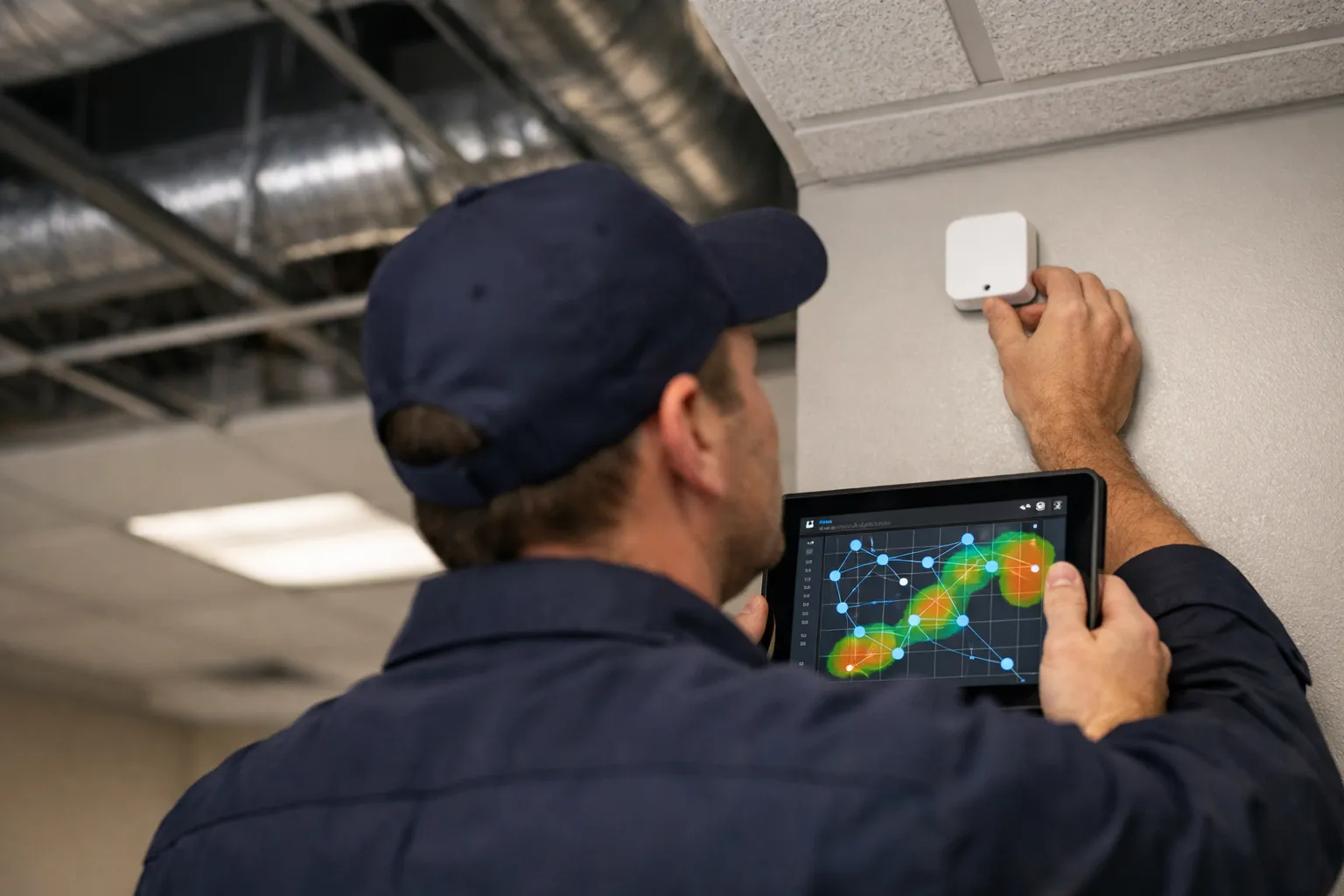
Distributed sensing is no longer an experiment: by 2026, affordable wireless temperature, humidity, CO2 and differential-pressure sensors enable tighter control, better fault detection and demand flexibility without tearing open ceilings. This guide walks HVAC enthusiasts and technicians through a practical, step‑by‑step process to design, install and commission a wireless sensor mesh for HVAC control and diagnostics.
Why add a wireless sensor mesh?
Before the process, be clear about objectives. Typical motivations:
- Reduce hot/cold complaints by adding more temperature points for supply and return monitoring.
- Enable real‑time occupancy and CO2‑based ventilation control for IAQ and energy savings.
- Detect faults earlier (duct leakage, stuck dampers, short cycling) with additional pressure and flow sensors.
- Support demand response and time‑of‑use strategies with distributed load visibility.
Step 1 — Define requirements and constraints
Document the building, the control endpoints you’ll integrate with, and operational requirements.
- Application scope: one floor, multiple zones, entire building?
- Sensor types: temperature, RH, CO2, VOC, CO, differential pressure, occupancy, light?
- Update rate: HVAC control loops often need 30–300s sampling; fault detection can tolerate 1–5 minute intervals.
- Power and mounting constraints: can you run low‑voltage wiring to sensors, or must they be battery operated?
- Integration method: direct BMS (BACnet/IP, BACnet MS/TP, Modbus), edge gateway with MQTT, or cloud‑native?
- Security, encryption and firmware update policy (OTA).
Step 2 — Choose wireless technology (pragmatic selection)
By 2026 the main contenders for low‑power mesh sensing are Thread (IP‑based), Zigbee, Bluetooth Low Energy (BLE) Mesh, and LoRaWAN for very long‑range, low‑rate telemetry. Wi‑Fi is viable when power is available and throughput is required.
- Thread + Matter: IP‑native, low power, growing device ecosystem and border routers that bridge to Ethernet. Good for dense indoor meshes and modern gateways.
- Zigbee: Mature, large device base; many legacy commercial devices still use Zigbee.
- BLE Mesh: Very common in battery sensors and occupancy devices; good when BLE gateways are already present.
- LoRaWAN: Use for dispersed sites or when long range (>1 km) is required, at the expense of sampling frequency.
- Wi‑Fi: Use when mains power is available and high data rate or direct cloud integration is preferred.
Recommendation: pick one primary mesh tech for a project to simplify gateway and integration choices. For new installations in 2026, Thread/Matter or BLE are often best for low power and interoperability.
Step 3 — Select sensors and gateways
Choose sensors based on required accuracy, drift, power profile and mounting options.
- Temperature: ±0.2–0.5°C accuracy for control-grade sensing; look for NIST‑traceable calibration options.
- Humidity: ±2–4% RH typical; avoid low‑cost sensors with poor long‑term stability in high‑RH environments.
- CO2: NDIR sensors are preferred for accuracy; consider cross‑sensitivity and maintenance schedule.
- Differential pressure: Use low‑range (0–500 Pa) sensors for duct/room pressure and filter monitoring; confirm compatibility with pitot or static taps.
- Occupancy/presence: PIR for motion; CO2 plus motion yields robust ventilation control.
Gateway considerations:
- Protocol bridge to BMS: BACnet/IP, BACnet/SC, Modbus TCP, MQTT or native cloud API.
- Number of device connections supported and mesh routing capability.
- Security: TLS support, certificate management, and OTA updates.
- Local control capability for reliability if cloud connectivity fails.
Step 4 — Plan sensor density and placement
Rules of thumb—adapt to your application:
- Temperature: place sensors in each control zone supply and return, plus 1–2 room sensors per 1,500–2,500 sq ft in open offices.
- CO2: one sensor per 2,000–4,000 sq ft in regularly occupied spaces, or one per classroom/meeting room.
- Pressure: one per duct branch or major VAV box, pitot taps at 6–8 diameters downstream of obstructions.
- Occupancy: one sensor per 400–800 sq ft in partitioned spaces; multiple sensors for long narrow rooms.
Sensor location best practices:
- Avoid mounting near supply diffusers, exterior walls, direct sunlight or heat sources.
- Mount at breathing height (1.1–1.7 m) for room sensors; on straight duct sections for pressure sensors.
- Label mounts and record exact coordinates for future service and troubleshooting.
Step 5 — Pre‑installation site survey and RF planning
Do a physical survey, map materials and interference sources, and perform an RF site scan using a handheld scanner or smartphone app that supports the chosen tech.
- Document construction materials—concrete, metal studs and cages, glass—that attenuate signals.
- Measure RSSI and packet loss at representative points; plan for repeaters or additional nodes where RSSI falls below recommended thresholds (e.g., −80 dBm for many low‑power mesh radios).
- Plan gateway locations to ensure n hops remain within reliable mesh routing limits (often ≤4 hops for some stacks).
Step 6 — Installation and wiring
Install sensors using standard electrical good practice. For battery devices, follow manufacturer’s ambient and orientation recommendations to maximize life.
- Mount sensors on interior walls, away from obstructions; use conduits for tamper‑resistant installations in commercial spaces.
- For differential pressure sensors, use proper tube length, avoid sharp turns, and put filters on external taps to prevent dust ingress.
- Document device IDs, MAC addresses and install locations in a commissioning spreadsheet and BMS naming conventions.
Step 7 — Network commissioning
Commission the mesh before integrating with control systems.
- Join each sensor to the mesh, verify health (RSSI, SNR, routing table entries) and update firmware if necessary.
- Validate mesh redundancy—disable a node and confirm messages route through alternate paths.
- Configure reporting intervals and thresholds. For control, shorter intervals increase responsiveness but reduce battery life.
- Enable and test OTA firmware updates in a controlled subset before rolling out wide.
Step 8 — Integration with controls and data flow
Decide data architecture: local edge gateway to BMS for deterministic control, or cloud pipeline for analytics and long‑term storage. Many projects use both—local control for resilience, cloud for visualization and analytics.
- Map sensor points to BMS objects with clear point names and units. Avoid free‑text labels; use hierarchical naming (building-floor-zone-sensorType).
- Use BACnet/IP or Modbus TCP via the gateway when direct BMS integration is required. If using MQTT, set up an MQTT broker and translator to BACnet or the BAS protocol in use.
- Ensure control loops read a single authoritative temperature point; do not allow competing inputs unless explicitly implementing sensor fusion logic.
Step 9 — Calibration, baseline and acceptance testing
Calibrate and verify each sensor’s accuracy against a known reference.
- Temperature/RH: compare to a NIST‑traceable handheld reference at several points; record offsets in the BMS or gateway if supported.
- CO2: verify NDIR span using an ambient outdoor reading (~400–450 ppm) and a calibration gas or certified reference where accuracy is critical.
- Pressure: use a calibrated manometer to verify readings at multiple setpoints across the operating range.
- Acceptance tests: sampling interval check, latency check (end‑to‑end), packet loss under normal conditions, battery drain estimate and OTA verification.
Step 10 — Operational policies and maintenance
Define service and maintenance plans.
- Battery replacement cycles (typical 2–5 years depending on sample rate). Track battery health in BMS telemetry.
- Firmware update schedule and rollback plan for failed updates.
- Sensor recalibration intervals: annually for CO2 and pressure sensors in critical systems; 2–3 years for temperature/humidity depending on drift.
- Failure response: alerting for offline nodes, high packet loss, sensor drift beyond threshold.
Troubleshooting common issues
Symptoms and fixes:
- Intermittent telemetry: check RSSI, relocate gateway or add repeater nodes; eliminate interference from large Wi‑Fi APs or metal panels.
- Rapid battery drain: excessive reporting cadence, firmware bug, or unstable routing causing retries. Reduce sampling rate and update firmware.
- Inconsistent CO2 readings: sensor contamination or expired NDIR sensor; perform span check and replace consumable components.
- Control oscillation after adding sensors: ensure control single‑sourcing and apply hysteresis/damping in controllers; use PID tuning with the new sensor feedback.
Case example: Small office floor retrofit (illustrative)
Scenario: 6,000 sq ft open office with 6 meeting rooms, one RTU and a VAV box per bank.
- Selected tech: Thread mesh with a single border router to the building Ethernet and BACnet‑IP gateway.
- Sensors: 8 temperature/RH room sensors, 6 CO2 sensors in meeting rooms, 4 duct pressure sensors at RTU and main branches.
- Sensor density and placement followed the rules above—room sensors at 1.2 m, CO2 in room centers, pressure taps installed and snubbed to avoid flow noise.
- Commissioning found two dead zones near concrete core; two extra repeaters added. Average battery life projected at 3.5 years with 60s sampling.
- Integration: thread gateway translated sensors to MQTT; an edge translator pushed points into BACnet objects on the BAS. Local control fallback configured on the gateway to maintain ventilation schedule during network outages.
Cost, timeline and ROI considerations
Typical cost drivers: sensor type and accuracy, gateway and integration engineering, and commissioning time. Ballpark figures for a modest retrofit (6,000–10,000 sq ft):
- Sensor hardware: $80–$250 per node (temperature/RH cheaper; NDIR CO2 higher).
- Gateway and integration: $2,000–$8,000 depending on required protocol bridging and BACnet/Modbus licensing.
- Engineering and commissioning: 1–3 days per 1,000–2,000 sq ft for survey, installation and acceptance testing.
ROI often comes from reduced complaints, optimized ventilation (20–40% savings when replacing constant over‑ventilation with demand control), and avoided service calls from earlier fault detection.
Final checklist before handover
- All sensors installed and labeled; IDs recorded in asset register.
- Mesh health report (RSSI, hop counts) logged.
- Calibration certificates and offsets applied.
- OTA update tested and scheduled; rollback tested.
- BMS point mapping completed and control logic validated with stakeholders.
- Maintenance plan documented with replacement intervals and on‑call contacts.
Wireless sensor meshes are a pragmatic, low‑impact way to dramatically increase HVAC situational awareness and control capability. With proper planning—protocol selection, RF surveying, careful placement, secure gateways and disciplined commissioning—these systems deliver measurable energy and comfort gains with manageable ongoing maintenance. For HVAC enthusiasts, the key is to treat the sensor mesh as an extension of the control system: design for reliability, security and maintainability from day one.